


Appointment bookings
Let customers book, reschedule, and confirm without waiting
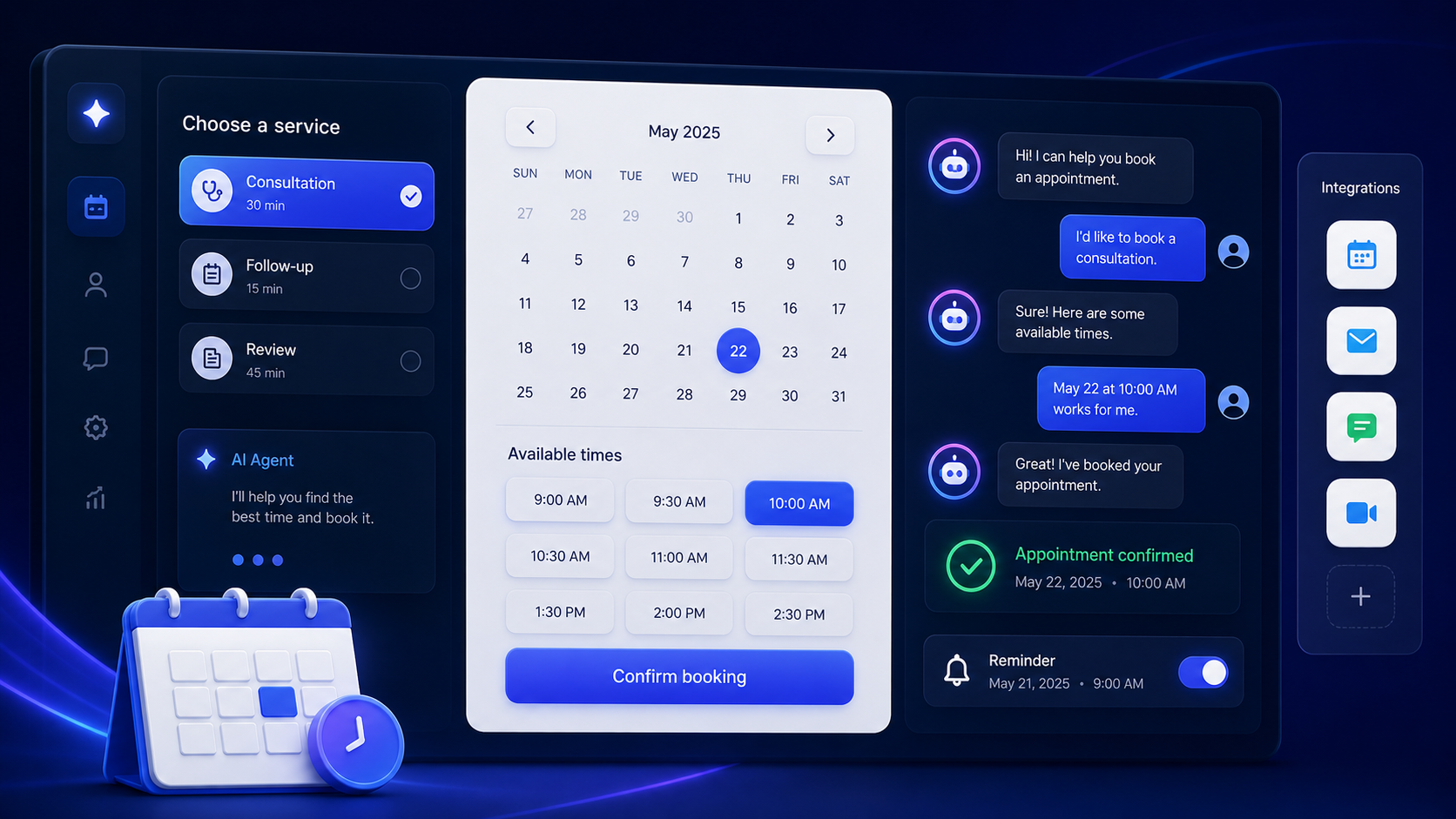
Nexvio guides visitors to the right service, finds available times, confirms details, and handles routine scheduling questions across channels.
24/7
booking availability
2x
faster scheduling flow
Auto
confirmation and reminders
Useful across booking-heavy teams
Scheduling friction
Booking should not require back-and-forth
Manual scheduling slows down customers, creates admin work, and leaves openings unfilled.
Friction
Customers wait for available times
Every extra message between inquiry and booking increases the chance the customer drops off.
Drop-off
Visitors abandon unclear booking flows
Customers need help choosing services, understanding policies, and finding a time that works.
Admin
Teams manage reminders manually
Confirmations, reschedules, and no-show prevention take time away from higher-value work.
How Nexvio helps
An AI booking flow that completes the next step
Nexvio turns scheduling intent into a confirmed appointment while respecting your rules and availability.
Service selection
Help visitors choose the right service, plan, location, or appointment type before booking.
Slot matching
Surface available times based on calendar rules, duration, location, and team availability.
Instant confirmation
Confirm appointment details and share the next step in the same conversation.
Rescheduling support
Let customers change times without restarting the process or waiting for staff.
Automated reminders
Reduce missed appointments with reminder prompts and confirmation flows.
Human handoff
Escalate edge cases, policy questions, or high-value bookings with full context.
Workflow
From intent to confirmed booking
Connect your availability and policies once, then let Nexvio guide customers through the flow.
01
Connect booking systems
Connect calendars, service rules, availability windows, and required intake details.
02
Define booking policies
Set rules for service selection, cancellation, rescheduling, reminders, and exceptions.
03
Deploy across channels
Add booking support to your website, chat, WhatsApp, and customer support journeys.
04
Monitor completion
Review drop-offs, unanswered booking questions, no-shows, and policy gaps.
Outcomes
More completed bookings with less admin work
Nexvio keeps scheduling available while your team focuses on the appointments that matter.
More completed bookings
Guide customers through selection, availability, confirmation, and reminders in one flow.
Less manual coordination
Reduce repetitive scheduling messages, reminders, and reschedule requests.
Better customer experience
Give customers clear answers and next steps without making them wait.
Booking FAQ
Questions before you launch
Can Nexvio connect to our booking system?
Nexvio can work with calendar, CRM, and automation integrations through supported connectors and workflow tools.
Can customers reschedule or cancel?
Yes. You can define rescheduling, cancellation, reminder, and escalation rules for the AI agent to follow.
What happens when a booking is complex?
Nexvio can capture the context and route the conversation to your team for review or manual handling.
How do we measure booking success?
Track booking completion, drop-off points, reschedules, reminders, and unanswered scheduling questions.
Build your booking agent
Let customers book the moment they are ready
See how Nexvio can automate appointment booking, confirmations, reminders, and scheduling handoffs.